How can I increase / decrease the video’s volume?
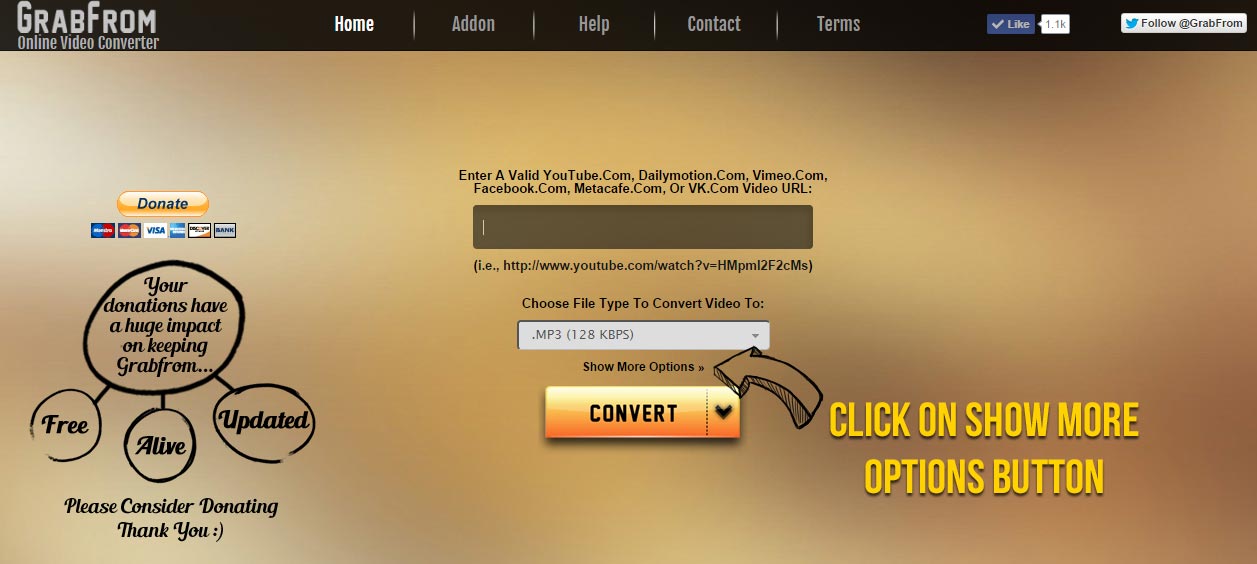
1: Click on “show more options” before you convert a video ( See Image )
2: Drag the bar to adjust your preferred volume ( Default volume is set at 100% . )
3: Now convert your video and enjoy !
How can I convert a video/song ?
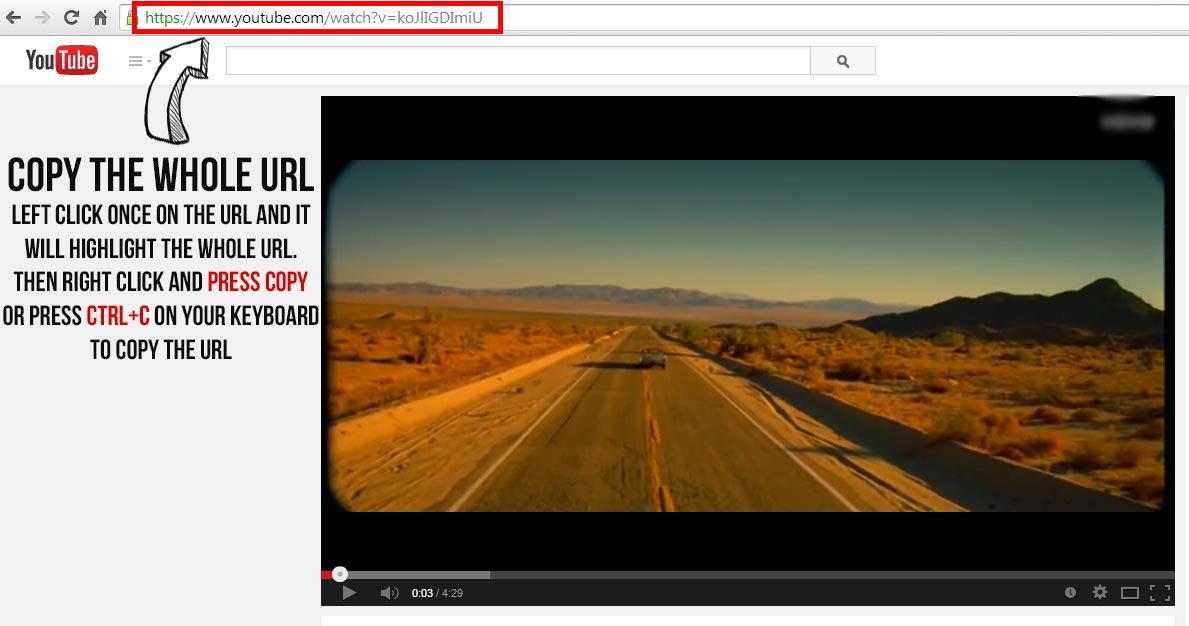
1: Copy the url of the video you want to convert ( See Image )
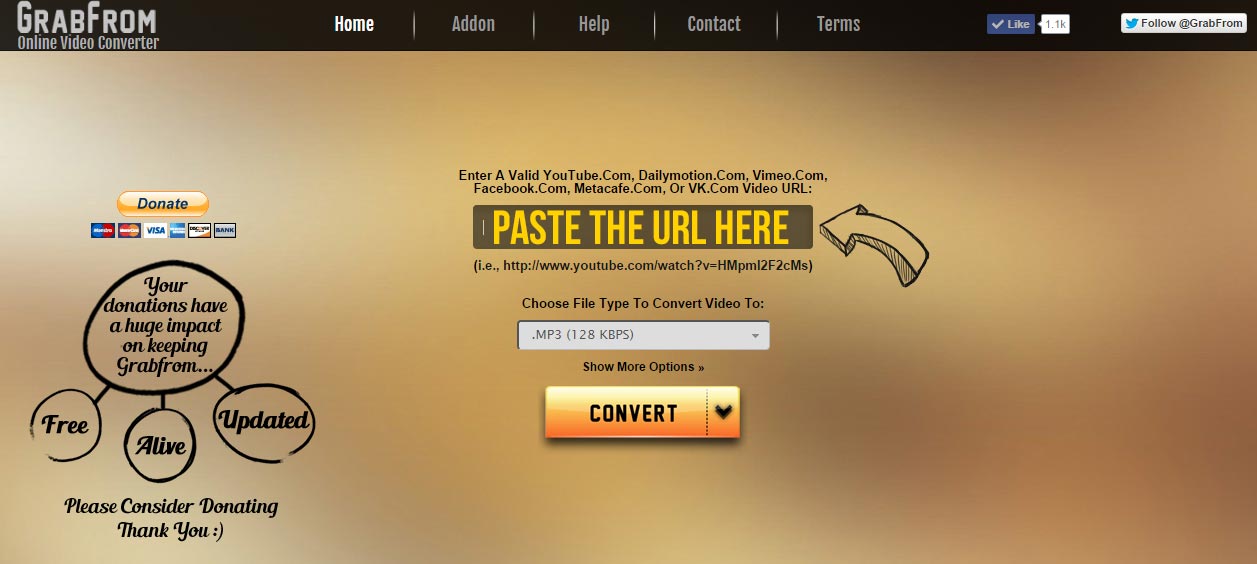
2: .Paste the url in the conversion box ( See Image )
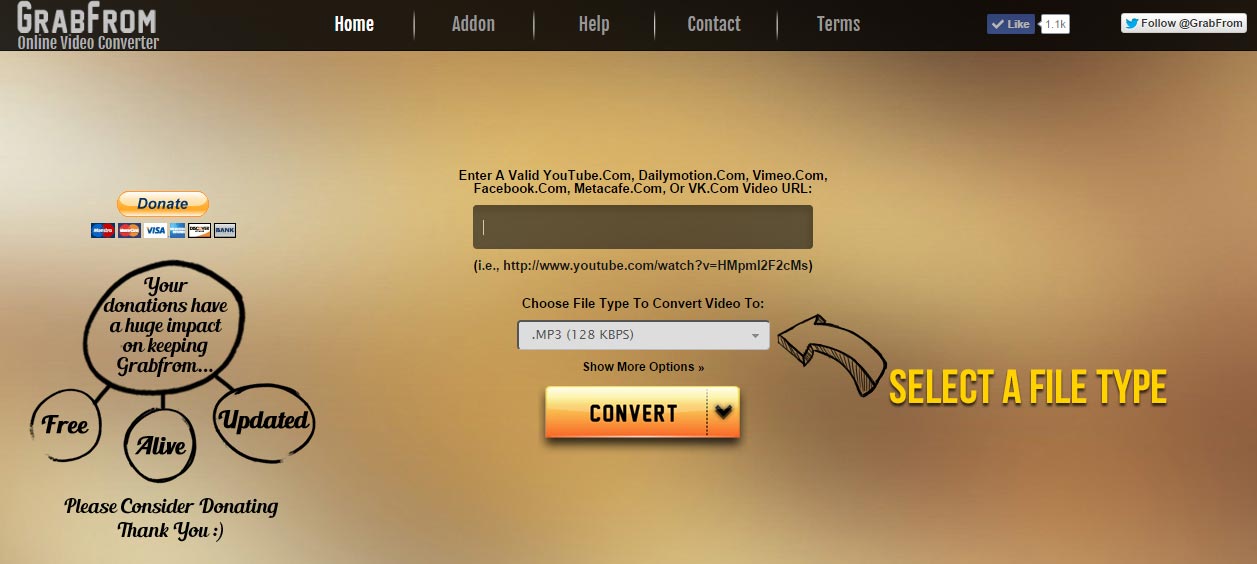
3: Select a format type ( See Image )
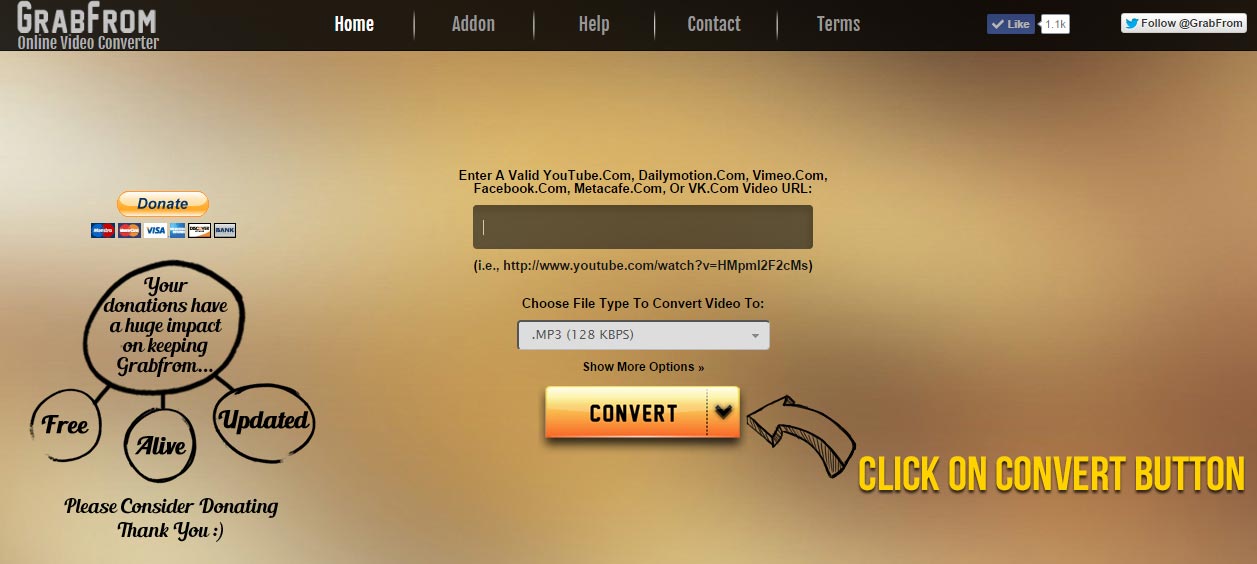
4: Click on Convert button ( See Image )
5: Wait for conversion to complete .
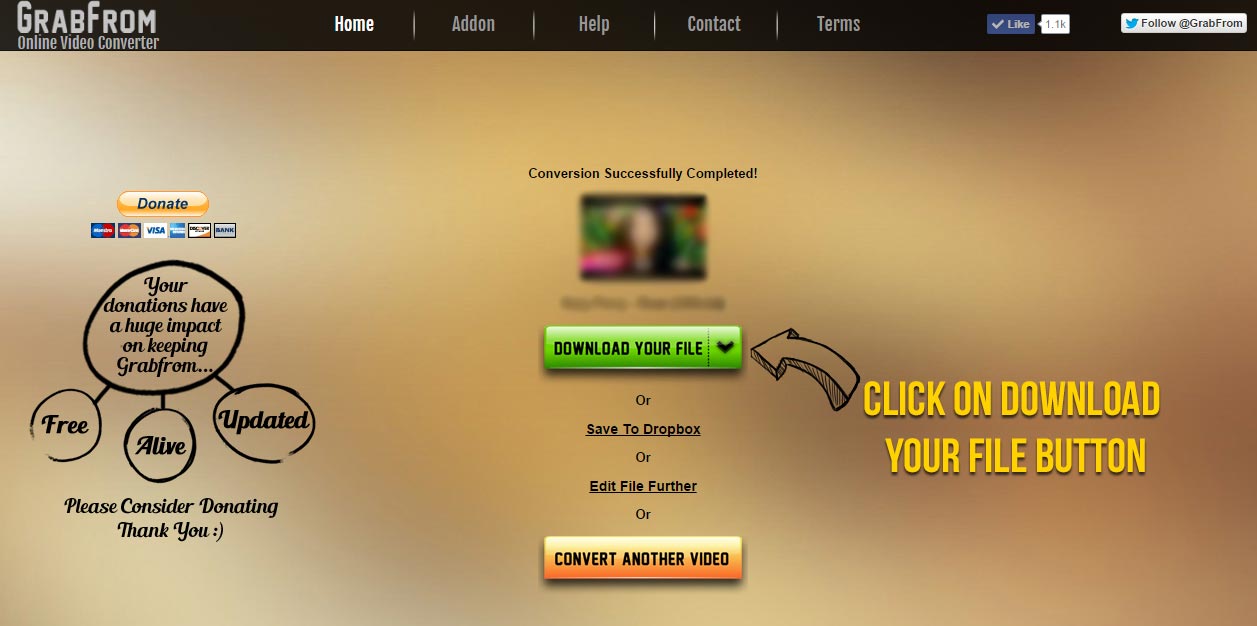
6: Click on Download your file button ( See Image )
7: You will be taken to a new tab where you will have to wait 5 seconds ( See Image )
8: After 5 seconds, click on the Skip button at the right top to download your file ( See Image )
Done
But why do I have to wait 5 seconds to download my file ?
This Method of advertising helps us with the server costs,updates and maintenance of the site. We offer a Premium membership with unlimited access and no ads for a reasonable price. For more info visit our Premium page.
How can I crop my file ?
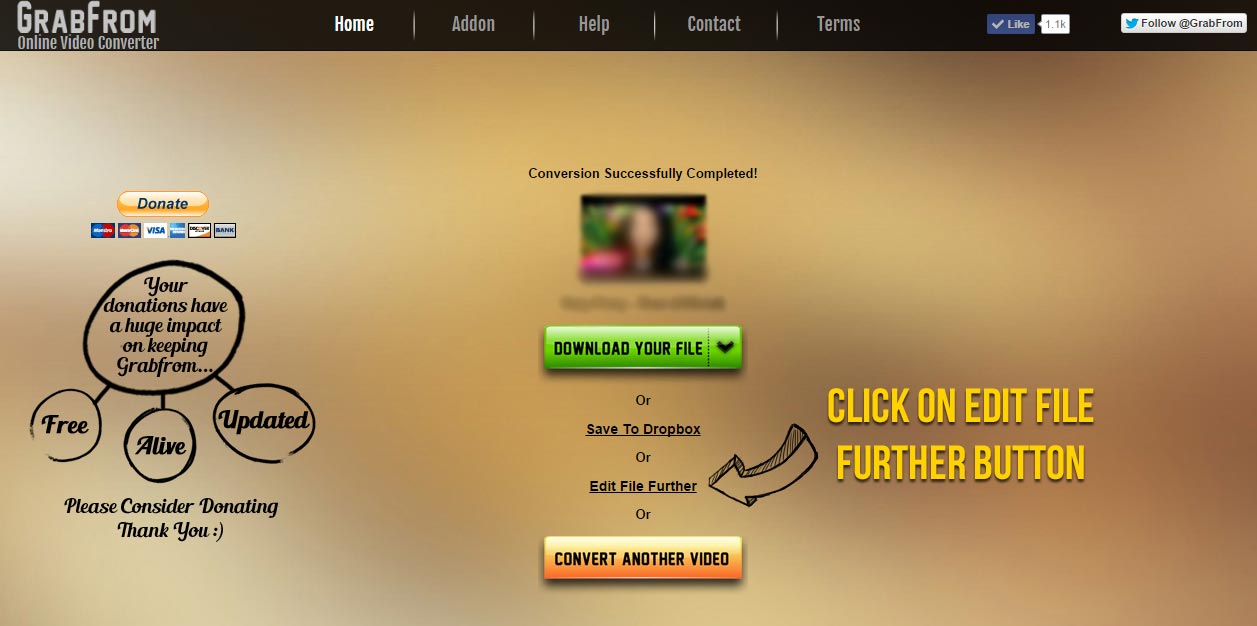
1: When conversion is done click on Edit File Further ( See Image )
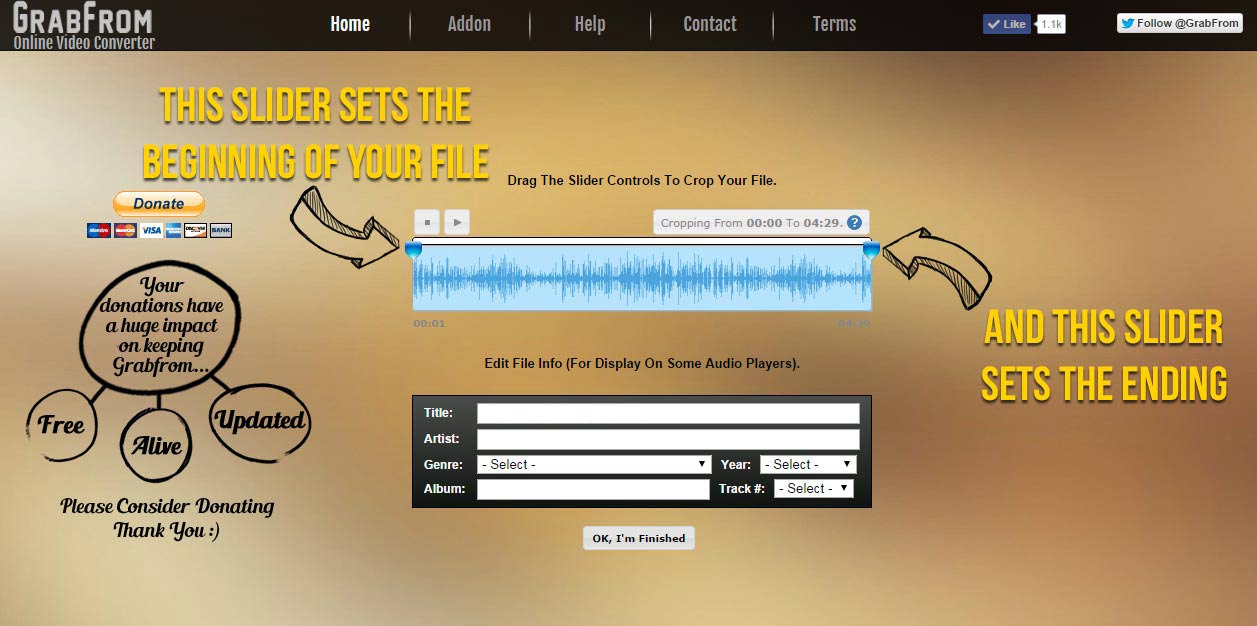
2: Drag the slider controls to crop your file ( See Image )
3: Click on Ok, I’m Finished button .
4 : Download your file or try another if you wish .
How can I edit the file’s information ?
Editing the file’s information can be done in the *Edit File Further* section when conversion is done .
Simply change the title , artist name , year etc by filling in each section .
Downloading Video Error
There are times that websites such as Soundcloud gets a new update and in order to make the conversions work,
we need to update our tool as well . so if you are unable to convert any video at the time ,
it’s because we are working on the new version . We are sorry for the inconvenience.
Can I convert any video from any site ?
Currently our service only supports Soundcloud, but we may consider adding more in the future.
Is this service free of charge ? How many times can I use it ?
Our service is absolutely free and limitless so enjoy converting as much videos as you like .
However there are 2-
For example, you cannot convert videos longer than 30 minutes Into MP4 and MP3 ( 320kbps ) formats and you will have to wait for your first conversion to end to convert another video . Go Premium for unlimited usage and free of ads!
How long does the conversion take ?
Conversion time depends on the size of the video .
The standard ( 128kbps ) Mp3 conversion takes less than 10 seconds.
Conversion is taking so long , why is that ?
Conversion may take longer during our high site activity so please be patient or try to convert at any other time .
How can I Install / Use the Addon or Plugin ?
For installation or how to use our addon/plugin please refer to our addon page here .
I like this service , how can I support it ?
We are glad that you like our service :) We offer a Premium service with unlimited usage and free of ads that costs less than a cup of coffee per month that helps us with the server costs/maintenance,updates and more, for more info check our our Premium Page. We also accept donations at any amount using Paypal here. Thank you! :)





Help / FAQ
Online Video Converter



©2025 GrabFrom.com All rights reserved
Home . Premium . Addon . Help . Contact . Terms Of Service . Privacy Policy